Crafting A Blog Experience For Every User
By Tom Seest
At WebsiteBloggers, we help website bloggers develop strategies to create content, traffic, and revenue from website blogs based on our experiences and experimentation.
Be sure to read our other related stories at WebsiteBloggers and share this article with your friends, family, or business associates who run website blogs.
How to Design a Blog That Feels Native on Any Screen
Designing a blog that truly resonates across all screens is about more than just layout; it’s about connection. Think about it—when you visit a website, what draws you in? It’s not just the words on the page; it’s the emotional experience that unfolds as you scroll. A well-designed blog should feel like a warm campfire gathering, where every visitor becomes part of a community, no matter what device they’re using.
Start with a solid foundation—your choice of fonts and colors should invite readers in rather than push them away. A vibrant, mobile-friendly website serves a purpose: it reflects the passion and authenticity behind your content. When a reader paws at their phone while waiting for a train, the last thing they need is a blog that feels like pulling teeth. Instead, deliver content that sparks joy, passion, or even contemplation. Make every pixel count in eliciting a response, and you’ll turn casual visitors into devoted followers.
Then, consider the stories you share. Your blog should be a platform for voices, not just information. Everyone has a story worth telling, and when those stories are woven together seamlessly, they create a tapestry that feels engaging regardless of screen size. That’s how you foster real connection—by inviting readers to see themselves in your narrative. Make them feel like they’re not just passersby but part of something greater, a community unified by shared experiences and insights.
Ethics matter too. As you design, be mindful of accessibility. Your blog should cater to everyone, allowing diverse perspectives to flourish. This does more than just tick boxes; it builds trust. When individuals feel represented, whether they’re engaging on a desktop or a smartphone, they’re more likely to dive deeper into your work.
Harness the power of social proof. Showcase comments and discussions right on your blog to let readers see they’re not alone. After all, it’s human interaction that makes us feel alive. When visitors see others engaging, sharing, and loving your content, they’ll be more inclined to join the conversation.
Creating a blog that feels native on any screen isn’t just a technical feat; it’s a heartfelt journey. Embrace it, and your audience will surely follow.
How to Design a Blog That Feels Native on Any Screen
How to Design a Blog That Feels Native on Any Screen
- Designing a blog is about creating emotional connections, not just focusing on layout.
- A well-designed blog should feel inviting and community-oriented, regardless of the device used.
- Choose fonts and colors that encourage readers to engage rather than deter them.
- Your blog should serve as a platform for storytelling, weaving together various narratives to foster connection.
- Prioritize accessibility to build trust and allow diverse perspectives to flourish.
- Utilize social proof by showcasing comments and discussions to encourage reader engagement.
- Creating a responsive blog is a heartfelt journey that can resonate with audiences across all screens.
How to Design a Blog That Feels Native on Any Screen
Table Of Contents
- How to Design a Blog That Feels Native on Any Screen
- What Feelings Do You Want Your Blog to Evoke In Your Readers?
- How Can Responsive Design Improve User Engagement on Your Blog?
- What Common Frustrations Do Users Face on Non-Responsive Blogs?
- How Can Color Choices Influence the Emotional Response to Your Blog?
- How Does a Native Feel on Any Screen Enhance User Loyalty?
- What Best Practices Can Ensure a Seamless Experience Across Devices?
- How Might Your Blog Layout Reflect Your Personal Values and Ethics?
- Conclusion
- Other Resources
- Glossary Of Terms
- Other Questions
- Haiku
- Poem
- Checklist
What Feelings Do You Want Your Blog to Evoke In Your Readers?
When you sit down to write a blog, it’s essential to think about the feelings you want to evoke in your readers. Your website is more than just pixels and text; it’s a portal to a world where ideas and emotions collide. Imagine the warmth of a shared laugh or the weight of a shared struggle. That’s what you want your audience to feel—connected and understood.
Start by appealing to the heart. Readers don’t just crave information; they desire resonance. Tell stories that reflect their experiences, dreams, and fears. Maybe it’s a tale of triumph over adversity or the simple joy of a small moment in life. When readers see themselves in your narrative, they’re not just passing time—they’re investing in a relationship with your blog. That emotional connection builds trust, the kind that keeps them coming back for more.
Next, engage the head by weaving in facts and insights. Your ideas should not only tug at the heartstrings but also make them think. Challenge your readers to reconsider perspectives they’ve held for years. Pose questions that demand introspection, and provide evidence that validates their feelings. A well-researched blog post not only informs but empowers, adding credibility to your voice as an authority in your niche.
Let’s not overlook the gut. Your words should ignite a fire in your readers, compelling them to take action. Give them solutions, actionable steps, or inspiration that transcends mere thought. Encourage them to join a movement, take up a cause, or confront the issues that matter most in their lives. When readers feel that urge, they’re not just passive consumers—they’re active participants in the conversation you’re fostering.
Finally, tap into social dynamics. Encourage your audience to share their experiences in comments or across platforms. By creating an inviting space where voices are amplified, you foster a community where diverse perspectives are cherished. When readers feel like they belong, they not only return—they also amplify your reach and impact.
In essence, your blog has the potential to evoke powerful emotions and stir rational thought, guiding your readers through a tapestry of experiences that ultimately fosters a deeper connection. Difficult discussions can lead to meaningful change; so write with intention, and let your ideas resonate far beyond the confines of your website.

What Feelings Do You Want Your Blog to Evoke In Your Readers?
What Feelings Do You Want Your Blog to Evoke In Your Readers?
- Consider the feelings you want to evoke in your readers when writing a blog.
- Appeal to the heart by sharing relatable stories that foster emotional connections.
- Engage the head with facts and insights that encourage introspection and challenge perspectives.
- Inspire action by providing solutions and motivating readers to actively participate.
- Create an inviting space for readers to share their experiences, fostering community dynamics.
- Build trust through emotional connection, encouraging readers to return for more content.
- Write with intention to evoke emotions and stimulate discussions that lead to meaningful change.

What Feelings Do You Want Your Blog to Evoke In Your Readers?
How Can Responsive Design Improve User Engagement on Your Blog?
Responsive design isn’t just a trendy term tossed around in tech circles; it’s the lifeline that can elevate your website to the upper echelon of engaging platforms, creating a rich, interactive blog experience for every visitor. Think about how it feels when you land on a website that knows what you need—when it fits perfectly in your hands, whether you’re on your phone at the beach or glued to a desktop at your favorite café. That’s responsive design at work, and it makes your content not just readable, but truly enjoyable.
When a blog is responsive, it speaks to the heart of the user. Imagine a weary traveler stumbling upon your site, their eyes wide with fatigue, desperately searching for the information or comfort they crave. If your website adapts gracefully to their device, it becomes a trusted companion, guiding them seamlessly through their journey. Since feelings drive engagement, offering them a smooth experience cultivates an emotional connection.
Now, let’s consider the brain. Users are rational beings, and they recognize quality when they see it. A well-executed responsive design showcases your professionalism. It tells them you care about the details, creating an environment where they feel secure and valued. They want to know their time is well spent, and when they don’t have to pinch, zoom, or squint at your text, they’re more likely to stick around, clicking through posts, consuming content as if it were a refreshing drink on a hot day.
Ethically speaking, a responsive blog shows that you respect your audience. You understand that not everyone is sitting in front of a computer with a big screen and high-speed internet. By prioritizing user experience, you demonstrate a commitment to inclusivity, reaching people from all walks of life.
With the social aspect, think of your blog as an invitation to a gathering. You want your guests to feel comfortable, to linger and share stories. A responsive design directly encourages sharing, recommending, and discussing your content on social media, generating a buzz that amplifies your reach.
As you invest in making your blog responsive, remember—this isn’t just about the technicalities. It’s about connecting, engaging, and building a community. Invite others into your space and watch as trust grows, confidence flourishes, and meaningful conversations unfold. This is where your blog transforms from a simple website into a vibrant hub of collaboration and creativity.

How Can Responsive Design Improve User Engagement on Your Blog?
How Can Responsive Design Improve User Engagement on Your Blog?
- Responsive design enhances user engagement and improves the overall blog experience.
- It adapts to different devices, ensuring content is accessible and enjoyable for all users.
- A responsive blog builds an emotional connection with users, guiding them seamlessly through their journey.
- Quality responsive design demonstrates professionalism and attention to detail, making users feel valued.
- It promotes inclusivity by accommodating various user situations and internet speeds.
- Responsive design encourages social sharing and discussion, increasing your blog’s reach.
- Investing in responsive design fosters community, trust, and meaningful interactions on your platform.

How Can Responsive Design Improve User Engagement on Your Blog?
What Common Frustrations Do Users Face on Non-Responsive Blogs?
Imagine this: You wake up on a Saturday morning with a warm cup of coffee in hand, ready to dive into a new blog you’ve heard so much about. You sit comfortably, anticipation buzzing in your chest, only to be met with endless loading screens and the agony of pinch-zooming to read a single sentence. Frustration mounts as you think, “Why can’t this website just work?” Suddenly, the excitement dissipates, and your Saturday plans feel like they’ve been hijacked by a digital brick wall.
Why, you might wonder, do non-responsive blogs spark such a visceral reaction? It’s simple: they break the sacred contract between creator and consumer. When you visit a website or blog, you’re looking for connection, insight, and a smooth experience. Instead, you’re faced with obstacles that stall your journey, making what should be a pleasurable exploration feel like scaling a mountain—or worse, wandering in a dark cave. It’s more than just annoyance; it’s a betrayal of trust. Your time and attention are precious, and when that’s wasted, it stings.
You’re not just a reader; you’re a participant in a larger dialogue. By failing to adapt, non-responsive blogs send a clear message: “We don’t care about your experience.” This lack of empathy erodes the community that blogging once thrived on, creating a divide between the author and the audience—the very heart of the medium. The clicks and views may count in metrics, but the emotional connection matters way more. Imagine walking into a store where the shelves are cluttered and the staff unhelpful; would you stay? The same principle applies to blogs.
Then there’s the social aspect. We live in a world where sharing your thoughts and stories should be seamless, yet poor design drags us back to the Stone Age. A non-responsive blog isn’t just an inconvenience; it’s a barrier to sharing knowledge and ideas.
In a landscape where connection, empathy, and functionality should reign, it’s hard to ignore the challenges posed by non-responsive websites. Every stumble, every moment lost, makes us less likely to return. As consumers, our trust and loyalty hinge on engagement and respect for our time. Let’s encourage the evolution of blogging to place value back where it belongs—in the heartfelt connection between writers and readers. Change starts with each one of us demanding better.
What Common Frustrations Do Users Face on Non-Responsive Blogs?
What Common Frustrations Do Users Face on Non-Responsive Blogs?
- Waking up to read a blog should be enjoyable, but non-responsive sites create frustration.
- Non-responsive blogs break the connection between creator and consumer.
- Obstacles on a blog hinder the exploration and engagement, causing a sense of betrayal.
- Readers are participants in a dialogue; non-responsive design sends a message of indifference.
- Poor design erodes the community aspect of blogging, creating a divide between authors and audiences.
- Non-responsive blogs serve as barriers to sharing ideas and knowledge, hindering social connection.
- Trust and loyalty from consumers depend on a respectful and engaging user experience.

What Common Frustrations Do Users Face on Non-Responsive Blogs?
How Can Color Choices Influence the Emotional Response to Your Blog?
Colors have a peculiar power, don’t they? They sway our emotions, hijack our thoughts, and influence our decisions—all before we’ve even read a single word on a website or blog. Think about it: when you see a bright yellow sunburst, what feelings bubble up? Maybe warmth and happiness, or perhaps nostalgia for a lazy summer day. Now, shift your gaze to a deep navy blue—what does it evoke? Trust, reliability, perhaps even a hint of calm during a storm of life’s uncertainties. Each choice we make about color can resonate with visitors on a visceral level, tapping into the core of what makes us human.
Imagine you’ve crafted the most insightful blog post, one that could enlighten and entertain, but you’ve paired it with a dull, lifeless color scheme. Like throwing a winning pass in a football game only to throw it to the wrong side of the field. Your readers could be left feeling detached, losing interest before they’ve savored your profound insights. Take a step back and think of colors as the stage on which your words perform. They can enhance humor, accentuate camaraderie, or even paradoxically stir introspection. Engaging colors can invite your audience into a world where they feel an emotional connection, almost as if they’re sitting next to an old friend over coffee.
Now, let’s get down to brass tacks. Research shows that colors influence buying habits, with 85% of consumers making decisions based on color alone. If you’re looking to establish trust or authority with your audience, think about the signals you send. Need to inspire action? Consider attracting attention with bold reds or vibrant greens, while softer pastels might evoke a sense of serenity that encourages reflection and dialogue. This is not just art; this is science, and it’s well within your reach.
But let’s not forget the grassroots community. Your audience isn’t just numbers on a screen—they’re people with hopes, dreams, and fears. They want to engage with your blog not merely for what you’re saying, but for how it feels. A conscious and thoughtful approach to your color palette can foster that connection. By dressing your content in the colors that resonate with your message, you’re not just plastering pixels on a page; you’re inviting readers into a conversation that bridges heart and intellect. Embrace this power, design with intention, and watch your blog flourish.

How Can Color Choices Influence the Emotional Response to Your Blog?
How Can Color Choices Influence the Emotional Response to Your Blog?
- Colors possess the power to influence emotions and decisions even before content is consumed.
- Bright colors evoke positive feelings such as warmth and happiness, while darker hues can convey trust and calm.
- An uninspiring color scheme can detract from even the most insightful content, causing disengagement.
- Colors serve as a backdrop for your words, enhancing the emotional connection with readers.
- Research indicates that 85% of consumers base their purchasing decisions on color alone.
- A thoughtful color palette can foster a deeper connection with your audience, turning abstract numbers into real people.
- Designing with intention can bridge emotional engagement and intellectual understanding, leading to a flourishing blog.

How Can Color Choices Influence the Emotional Response to Your Blog?
How Does a Native Feel on Any Screen Enhance User Loyalty?
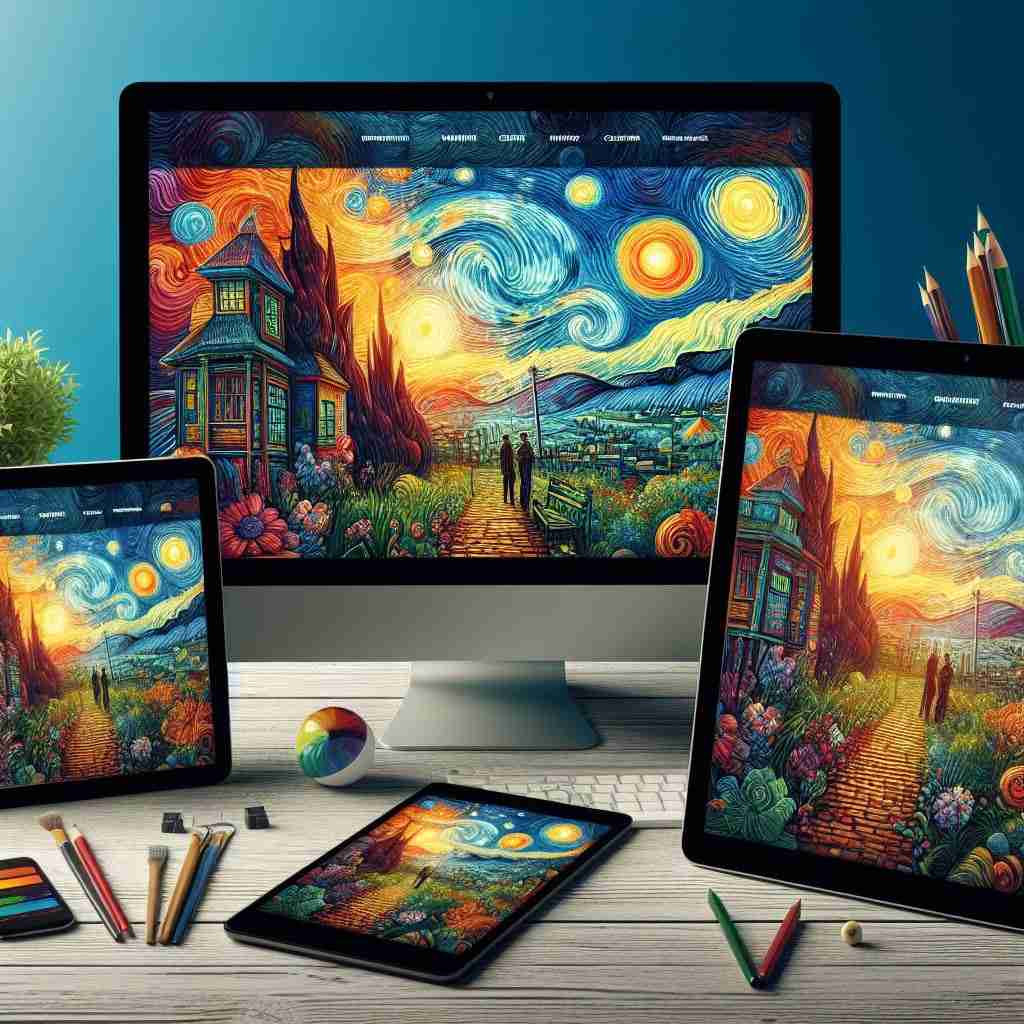
Picture this: You’re scrolling through a website or a blog, and suddenly, something just clicks. The content feels like it was made just for you—like a warm handshake after a long day. That’s the magic of native feel on any screen. It’s about more than aesthetics; it’s about connection. When users find themselves effortlessly navigating through a well-structured website or blog, they’re not just observing; they’re engaging.
Think about it. After a long day, you don’t want to sift through a disorganized mess. You want clarity. You want to feel that the space you’re in respects your time and intellect. A beautifully crafted interface speaks to your rational mind, making you think, “This site knows me.” When you see content that feels familiar, it evokes a sense of loyalty. It’s the visual equivalent of a family recipe—comforting, reliable, and worth returning to.
But there’s more—it’s about ethical engagement as well. Content presented in a native manner respects the user’s intelligence and preferences. It invites users to explore, ensuring that they feel valued and understood. This fosters trust, which is the lifeblood of any successful connection. When users perceive authenticity, they’re not just customers; they become advocates—sharing their experiences, reinforcing the ideas that this platform is a worthwhile place to spend time.
Narrative plays a significant role here. A website or blog that tells a story resonates on a personal level, allowing users to see themselves in the content. It provides an identity for the brand and for the audience, creating a shared experience that strengthens the bond. You start to think, “This is my space; these are my people.”
Moreover, the social aspect can’t be ignored. When a platform successfully evokes a native feel, it doesn’t just stand alone. It becomes a gathering ground—where ideas are exchanged, relationships formed, and communities built. Users yearn for connection, and a well-crafted digital environment provides just that.
Investing in a native feel on any screen isn’t just about creating a slick experience. It’s about building a relationship where users feel loyal, connected, and eager to return. And trust me, once they feel that, they won’t just come back; they’ll bring their friends along for the ride.
How Does a Native Feel on Any Screen Enhance User Loyalty?
How Does a Native Feel on Any Screen Enhance User Loyalty?
- The native feel of a website creates a connection and engagement with users.
- A well-structured website respects users’ time and intellect, providing clarity and comfort.
- Familiar content evokes loyalty, similar to a family recipe, making users return.
- Ethically presented content respects user intelligence, fostering trust and engagement.
- Authenticity transforms users from customers into advocates, encouraging them to share their experiences.
- Narrative in content allows users to identify with the brand, creating a shared experience.
- A native feel creates a digital gathering space, fostering connection and community among users.

How Does a Native Feel on Any Screen Enhance User Loyalty?
What Best Practices Can Ensure a Seamless Experience Across Devices?
In today’s world, where our lives flicker between devices—phones, tablets, laptops—creating a seamless experience across those screens isn’t just a technical chore; it’s an essential part of our daily existence. Think about it. Whether you’re scrolling through a website on your phone while waiting for coffee, or settling in for some more in-depth reading on your laptop, the last thing you want is to feel as though you’ve stepped into a different universe with each transition. That’s where best practices come in, ensuring that experience feels as natural as breathing.
First off, consistency is key. Your website should feel like a familiar friend, regardless of the device. You wouldn’t want your best buddy’s voice to change from a comforting tone to a jarring one, right? This is why a unified design across platforms helps foster that emotional connection, making users feel at home while they navigate. Moreover, community principles come into play—inviting feedback from users about their experience creates a relationship built on trust and collaboration. When people see their insights valued, their engagement multiplies.
If we look at this through a rational lens, optimizing page load times becomes vital. Each second that lingers can feel like an eternity, causing frustration and loss of interest. An efficient, swift experience can turn a first-time visitor into a regular. It’s about combining speed with substance, and it speaks to both the logic and heart of your audience. When they connect, they stay, and when they stay, they become advocates for your cause.
Ethically, prioritize accessibility. A website or blog that caters to everyone—regardless of ability—reflects a commitment to inclusivity. This action amplifies your voice in a world where every person deserves access to information, fostering a culture of respect and social responsibility.
Narratively, couch these practices in relatable stories. Picture a business owner with a dream: they meticulously craft their website, pouring over every detail. Then they watch as their customers joyfully engage, regardless of how they connect—tablet at home, phone on the go, or computer at the office. It’s about transforming passion into impact.
As we navigate through this digital tapestry, let these best practices not just guide users but also shape a community spirit, inviting everyone to join in this journey. The path is clear: empower, engage, and elevate. When done right, the yield can be breathtaking, turning casual visitors into a devoted audience.

What Best Practices Can Ensure a Seamless Experience Across Devices?
What Best Practices Can Ensure a Seamless Experience Across Devices?
- Creating a seamless experience across multiple devices is essential for daily digital interaction.
- Consistency in design fosters an emotional connection and makes users feel at home.
- Inviting user feedback builds trust and enhances engagement within the community.
- Optimizing page load times is crucial for retaining visitors and enhancing user experience.
- Prioritizing accessibility demonstrates a commitment to inclusivity and social responsibility.
- Relatable narratives help illustrate the impact of well-crafted digital experiences.
- Best practices in digital design can transform casual visitors into a dedicated audience.
What Best Practices Can Ensure a Seamless Experience Across Devices?
How Might Your Blog Layout Reflect Your Personal Values and Ethics?
Every time you sit down to design or update your website blog, you’re not just arranging pixels on a screen. You’re sending a message—a bold declaration of who you are and what you stand for. The layout of your blog is like your personal handshake—firm yet inviting, professional yet relatable. It’s a reflection of your values and ethics, the lens through which your audience will view your world.
Consider what you want to convey. A cluttered layout can suggest a chaotic mindset, one that might struggle to prioritize or respect the time of those who visit. On the contrary, a clean, easy-to-navigate design can evoke trust. Think about that first impression: a visitor arrives and sees a well-structured site, colors that feel uplifting, and navigation that seems intuitive. Instantly, they feel they’re in the right place—a space that respects their desire to connect, learn, and feel inspired. Your choice of colors, fonts, and images can echo your ethics—bold and engaging or soft and nurturing—and create an emotional atmosphere that resonates.
But let’s not underestimate the power of a narrative. Each blog post you craft is a part of your story, and your layout can amplify that voice. A layout that emphasizes storytelling—perhaps with featured images or quotes—helps to guide the reader through your journey, making every post feel like an important chapter. This structure fosters a connection with your audience, tapping into their hearts while also engaging their intellect. They begin to see themselves in your stories and values, and they trust your perspectives because you’ve taken the care to present yourself thoughtfully.
Then there’s the social appeal. A blog that encourages interaction shows you value community. Comment sections, easy sharing options, and responsive designs signal that you’re not just publishing content but inviting dialogue. This openness can turn a simple website blog into a vibrant hub where people come together—a place where ideas flourish, perspectives are exchanged, and friendships can blossom.
Ultimately, your blog layout is more than aesthetics; it’s a reflection of your ethics, a tangible representation of the values you hold dear. By crafting a space that feels trustworthy, engaging, and relatable, you’re inviting others to not only read your words but to share the journey with you. Your blog becomes a tapestry of shared experiences, where each visitor can find something that resonates and inspires action in their own lives.

How Might Your Blog Layout Reflect Your Personal Values and Ethics?
How Might Your Blog Layout Reflect Your Personal Values and Ethics?
- Designing or updating your blog is a declaration of your identity and values.
- A blog layout functions as your personal handshake—professional yet relatable.
- A cluttered layout suggests chaos, while a clean design evokes trust.
- Your choice of colors, fonts, and images creates an emotional atmosphere that resonates with your ethos.
- A narrative-driven layout amplifies your storytelling, guiding readers through your journey.
- Encouraging interaction through comments and sharing enhances community engagement.
- Your blog layout reflects your ethics, inviting others to share the journey and find inspiration.

How Might Your Blog Layout Reflect Your Personal Values and Ethics?
Conclusion
Creating a blog that resonates across all screens involves more than just snappy design—it’s about fostering genuine connections. Think of your blog as a gathering place around a warm campfire, where every visitor, whether on a smartphone or a desktop, feels embraced by the community. It all starts with a user-friendly foundation. Your choice of colors and fonts is vital; they should invite readers in, sparking joy and curiosity. When a reader clicks onto your site, it should feel like an effortless continuation of their day, not a tedious chore. That means crafting content that not only informs but also elicits an emotional response—where readers feel invigorated, challenged, or comforted.
The stories you share serve as the threads that weave your community together. Each narrative should reflect the diverse experiences of your readers, allowing connections to thrive. When individuals see themselves mirrored in the stories on your blog, they become invested, deepening their commitment to your content.
Moreover, accessibility is crucial in this digital age. Each visitor deserves a seamless experience, regardless of their background or device. By prioritizing inclusive design, you communicate respect and build trust within your audience. This trust is paramount, as it encourages deeper engagement and invites people to stick around—turning casual visitors into loyal followers.
Incorporating social proof by showcasing reader interactions, such as comments and discussions, invites visitors to join the conversation, creating a dynamic, thriving online community. This is where blogs become powerful platforms for connection, transforming solitary experiences into shared journeys.
Let’s not lose sight of the emotional and rational aspects either. A well-designed blog respects its audience’s time and intellect—delivering content that resonates on multiple levels. By curating a space that feels welcoming, reliable, and engaging, you invite readers not just to consume content, but to join a movement.
Remember, your blog layout is a reflection of your personal values. Each detail sends a message about who you are and what you stand for. A thoughtful design fosters trust, making visitors feel at home, while an inviting interface encourages not just passersby, but participants. Crafting a blog that feels native across screens is more than a technical task; it’s an opportunity to build a nurturing community, create meaningful interactions, and inspire your audience to find their voices in the shared narrative. Embrace this journey, and you’ll see your readership blossom into something extraordinary.

Conclusion
Conclusion:
- Creating a blog involves more than design; it’s about fostering genuine connections with readers.
- The blog should feel like a welcoming community, appealing to users on both smartphones and desktops.
- User-friendly design, including inviting colors and fonts, enhances the reading experience.
- Content must evoke emotional responses, helping readers feel invigorated, challenged, or comforted.
- Stories shared on the blog should reflect the diverse experiences of readers to strengthen community bonds.
- Accessibility and inclusive design are crucial for providing a seamless experience for all visitors.
- A well-designed blog invites engagement and transforms solitary experiences into shared journeys.
Conclusion
Other Resources
Other Resources
Here is a list of other resources you can review online to learn more:
- Artflow.ai
- Blogger
- Supermeme.ai
- Spline.design
- Surfer
- Komo.ai
- Mage.space
- Essaybot.com
- Copysmith.ai
- Stunning.so
- Eklipse.gg
- Thispersondoesnotexist.com
- Lablab.ai
- Headline Analyzer
- Bluewillow.ai
- Getconch.ai
- Readyplayer.me
- Umbraco
- Myplantin.com
- Getmagical.com
Use This Prompt To Get More Resources With Your Favorite Online AI Tool: Please provide me with a list of online articles with their URLs in a bulleted list that I can read regarding How to Design a Blog That Feels Native on Any Screen

Other Resources
Glossary Terms
How to Design a Blog That Feels Native on Any Screen – Glossary Of Terms
1. Responsive Design: A design approach that ensures a blog looks good and functions well on any device, regardless of screen size.
2. Viewport: The visible area of a web page on a device screen, which affects how content is displayed.
3. Breakpoints: Specific points defined in CSS where a website’s layout changes to accommodate different screen sizes.
4. Fluid Layout: A layout that uses percentage-based widths to allow elements to resize smoothly across different screens.
5. Media Queries: CSS techniques that apply styles based on the viewport’s size, orientation, and resolution.
6. Typography: The art and technique of arranging type to make written language legible, readable, and visually appealing on various screens.
7. Mobile-First Design: A design philosophy that prioritizes the mobile experience in the initial design process before scaling up for larger screens.
8. Progressive Enhancement: A strategy for web design that emphasizes core content and functionality first, then enhances that experience for users with better devices.
9. User Experience (UX): The overall experience of a person using a website, especially in terms of how pleasant or intuitive it is.
10. Call-to-Action (CTA): Elements on a blog, like buttons or links, that encourage readers to take specific actions, such as subscribing or sharing.
11. Content Hierarchy: The arrangement of content elements in a way that communicates importance, guiding users through the information.
12. Navigation: The system that allows users to explore a blog, typically including menus, links, and buttons.
13. Grid System: A structure that helps in laying out content visually, ensuring consistency and alignment across different screen sizes.
14. Images Optimization: The process of ensuring images are appropriately sized and compressed for faster loading times without sacrificing quality.
15. Accessibility: Designing a blog to be usable by people with disabilities, ensuring everyone can access and navigate content effectively.
16. White Space: The empty space around elements on a page that helps reduce clutter and improve readability.
17. Functionality: The features and capabilities of the blog, including interactive elements and how content is delivered.
18. Color Palette: A set of colors used consistently throughout the blog to create a cohesive visual identity.
19. WordPress: A popular content management system (CMS) used for creating and managing blogs.
20. SEO (Search Engine Optimization): The practice of optimizing a blog to increase visibility in search engine results to attract more visitors.
21. Visual Hierarchy: The arrangement of elements in a way that visually distinguishes their importance through size, color, and placement.
22. Favicon: A small icon associated with a website, appearing in the browser tab, bookmarks, and history.
23. Load Time: The duration it takes for a web page to fully display its content, crucial for user satisfaction and SEO.
24. Content Management System (CMS): Software that helps users create, manage, and publish digital content without needing to code.
25. User Interface (UI): The design of on-screen elements that users interact with, including buttons, icons, and layouts.
26. Cross-Browser Compatibility: Ensuring a blog displays correctly on various web browsers (e. g. , Chrome, Firefox, Safari).
27. Fallbacks: Alternative solutions provided in case certain web functionalities are not supported by all browsers or devices.
28. Above-the-Fold: The portion of a webpage that is visible without scrolling, crucial for capturing user attention.
29. Analytics: Tools and methods for tracking visitor behavior, engagement, and performance of the blog to improve content and design.
30. Social Sharing: Features that allow users to share blog content on social media platforms, enhancing reach and engagement.

Glossary Of Terms
Other Questions
How to Design a Blog That Feels Native on Any Screen – Other Questions
If you wish to explore and discover more, consider looking for answers to these questions:
- What are the key elements of a native design for blogs?
- How can I choose the right color palette for my blog?
- What tools or software are best for ensuring responsive design?
- How important is typography in blog design?
- What are some examples of blogs that successfully engage users across devices?
- How can I test my blog’s responsiveness on different devices?
- What are some common mistakes to avoid in blog design?
- How can I effectively incorporate feedback from my blog audience?
- What strategies can I use to increase reader engagement on my blog?
- What role do images and multimedia play in enhancing a blog’s appeal?
- How can I create a sense of community within my blog’s comments section?
- What ethical considerations should I keep in mind when designing my blog?
- How does the layout of my blog influence SEO and discoverability?
- What metrics should I track to measure user engagement on my blog?
- How can storytelling be integrated into blog design for better connection?

Other Questions
Haiku
How to Design a Blog That Feels Native on Any Screen – A Haiku
Responsive design sings,
Colors weave tales, hearts unite—
Blogs become warm homes.

Haiku
Poem
How to Design a Blog That Feels Native on Any Screen – A Poem
In a world where screens glow bright,
A blog should feel like home, a light.
More than pixels, it’s connection deep,
An invitation to share, to laugh, to weep.
With colors bold, let emotions flow,
Warm yellows bloom, soft blues bestow.
Each font, each hue, a crafted embrace,
Inviting souls to linger in this space.
Stories shared, from hearts to hands,
Weaving tales that together expand.
Voices united, diverse yet one,
A community forged, a journey begun.
Responsive design, a seamless dance,
Whether on the move or in a trance.
No pinch-zooms needed, just flow and grace,
Creating trust in this cherished place.
Ethics guide the choices we make,
Accessibility ensures no one will break.
When all can connect, the bond grows strong,
In a tapestry woven where all belong.
Encourage feedback, invite the crowd,
A gathering space, proud and loud.
Empower your readers, turn them to friends,
In this realm of dialogue that never ends.
So let your layout reflect what you value,
A space of welcome, for me and for you.
For in the pixels, the hearts intertwine,
Crafting a blog that’s truly divine.
Poem
Checklist
How to Design a Blog That Feels Native on Any Screen – A Checklist
Blog Design Checklist: Crafting a Heartfelt and Engaging Experience
Emotional Appeal
_____ Identify Feelings: Define the emotional responses you want to evoke in your readers (connection, joy, contemplation).
_____ Narrative Integration: Incorporate personal stories or anecdotes that resonate with your audience’s experiences.
Rational Appeal
_____ Facts and Insights: Include well-researched information that enhances credibility and appeals to logic.
_____ Load Speed Optimization: Ensure your blog loads quickly on all devices to keep users engaged.
Ethical Appeal
_____ Accessibility Check: Evaluate your design to ensure it caters to all users, including those with disabilities.
_____ Inclusivity: Promote diverse perspectives through your content and layout choices.
Authority Appeal
_____ Consistent Branding: Maintain a consistent visual style and tone to establish your authority.
_____ Expert Contributions: Feature guest posts from recognized experts in your niche to enhance credibility.
Narrative Appeal
_____ Storytelling Elements: Design your layout to highlight storytelling (featured images, quotes, or section breaks).
_____ Personal Reflection: Share your values and ethics through your blog layout and content choices.
Social Appeal
_____ Engagement Opportunities: Create spaces for comments and discussions to foster community.
_____ Social Sharing Options: Include buttons that make it easy for readers to share your content on social platforms.
Intuitive Design
_____ Unified Design Across Devices: Ensure a consistent look and feel whether accessed on mobile, tablet, or desktop.
_____ Easy Navigation: Implement a clear and simple menu structure to guide users effortlessly through your content.
Color Psychology
_____ Intentional Color Choices: Select colors that evoke the desired emotions and reflect your brand’s personality.
_____ Visual Hierarchy: Use contrast and color to direct focus and create an inviting atmosphere.
Use this checklist as a guide to develop a blog that not only looks good but feels engaging and connected, ensuring every visitor leaves with a sense of belonging.

Checklist
At WebsiteBloggers, we help website bloggers develop strategies to create content, traffic, and revenue from website blogs based on our experiences and experimentation.
Be sure to read our other related stories at WebsiteBloggers and share this article with your friends, family, or business associates who run website blogs.