
Maximizing Your Content For LinkedIn Success
By Tom Seest
At WebsiteBloggers, we help website bloggers develop strategies to create content, traffic, and revenue from website blogs based on our experiences and experimentation.
Be sure to read our other related stories at WebsiteBloggers and share this article with your friends, family, or business associates who run website blogs.
How to Optimize Articles Created for LinkedIn?
Navigating the vast landscape of LinkedIn can feel a bit like trying to find your way through a crowded bazaar: there’s a lot of noise, and it’s easy to get lost. Yet, if you’re looking to establish yourself as a thought leader or connect with like-minded professionals, optimizing your articles for LinkedIn is key. So, put on your proverbial hard hat, roll up your sleeves, and let’s dig into how you can make your articles shine amidst the clutter.
First off, know your audience. Before you even type the first word, take a moment to consider who you’re talking to. LinkedIn is a professional network, populated by individuals eager for insights, advice, and tips that can help them excel in their careers. Therefore, tailor your content to meet the interests and needs of your target demographic. Ask yourself: What challenges do they face? What solutions can I offer that aren’t just rehashing what’s already out there?
Next, structure is everything. Just like framing a house, your article needs a solid foundation. Start with an engaging introduction that hooks the reader right away. Use subheadings to break up the text and make it scannable; after all, not everyone has the time to read a lengthy treatise. Bullet points and lists can also help distill complex information into digestible bites, ensuring your audience stays engaged.
Now, let’s talk visuals. A picture really is worth a thousand words, especially on a platform like LinkedIn. Use relevant images, infographics, or charts to complement your written content. This not only enhances aesthetic appeal but also helps to clarify your points and keeps readers interested.
Don’t forget to leverage keywords. Like breadcrumbs leading readers to your article, well-placed keywords relevant to your industry can significantly enhance your visibility on LinkedIn. Research trending topics and integrate those keywords naturally into your writing. Just be careful not to overdo it; writing should still sound like a conversation, not a keyword-stuffed manifesto.
Finally, promote engagement. Encourage readers to comment, share, or ask questions—this interaction can turn a one-sided monologue into a vibrant dialogue. Respond to comments thoughtfully; this not only fosters community but also positions you as someone who values professional connections.
By taking the time to optimize your articles for LinkedIn, you’re not just creating content; you’re building a network of knowledge, relationships, and opportunities. So get to work, and make each word count!

How to Optimize Articles Created for LinkedIn?
How to Optimize Articles Created for LinkedIn?
- Understand your audience: Tailor content to the interests and needs of LinkedIn professionals seeking insights to excel in their careers.
- Focus on structure: Start with an engaging introduction, use subheadings, and break up text with bullet points and lists for scannability.
- Incorporate visuals: Use relevant images, infographics, or charts to enhance aesthetic appeal and clarify points in your article.
- Utilize keywords: Research trending topics and integrate industry-relevant keywords to boost visibility while maintaining conversational writing.
- Encourage engagement: Prompt readers to comment, share, and ask questions to create a dynamic discussion around your content.
- Respond thoughtfully to comments: Foster community and showcase your value in professional connections by engaging with reader feedback.
- Optimize to build a network: Create valuable content that fosters knowledge sharing and relationships within your LinkedIn network.
How to Optimize Articles Created for LinkedIn?
Table Of Contents
- How to Optimize Articles Created for LinkedIn?
- How to Choose a Catchy Title for LinkedIn Articles?
- Should Articles Include Images Whend Created As LinkedIn Articles?
- What Keywords to Use for Better Visibility for LinkedIn Articles?
- How Often to Publish Articles As LinkedIn Articles?
- What Tone Works Best for LinkedIn Articles?
- How to Promote Articles Effectively As LinkedIn Articles?
- Are Personal Stories Effective As LinkedIn Articles?
- What Is The Best Time to Post Articles on LinkedIn?
- How to Engage Audience In LinkedIn Articles Comments?
- Can External Links Enhance LinkedIn Articles Credibility?
- What Role Does Formatting Play In LinkedIn Articles Readability?
- How to Measure Success Of LinkedIn Articles?
- How to Repurpose Content From Other Platforms As LinkedIn Articles?
- How Do I Incorporate a Call-To-Action In LinkedIn Articles?
- Conclusion
- Other Resources
- Glossary Of Terms
- Other Questions
- Checklist
How to Choose a Catchy Title for LinkedIn Articles?
In a world overflowing with digital noise, grabbing attention isn’t just a nice-to-have; it’s a necessity. When it comes to LinkedIn articles, your title is the front door to your content, and you want it to be wide open, not just ajar. It’s the first, and sometimes only, chance you get to entice that busy professional scrolling through their feed to stop and take notice. Here’s how to craft a title that gets people clicking.
1. Be Authentic, Not Clickbait
Your title should reflect the essence of your article. Sure, you want it to sound enticing, but misleading your audience will have them leaving faster than they arrived. Craft something that resonates with the professional integrity of LinkedIn. Use clear, straightforward language that communicates the true value of what readers can expect.
2. Use Numbers
When it comes to titles, numbers work like a charm. Think of listicles—”5 Ways to Boost Your LinkedIn Profile” or “3 Essential Skills for Today’s Workforce.” They give a sense of order and digestibility to your content. Readers know exactly what they’re getting into, and they’re more likely to engage. After all, who doesn’t like a good bite-sized nugget of information?
3. Tap into Emotions
The art of the catchy title often lies in evoking emotion. Use words that inspire, provoke, or challenge. Titles like “Unlock Your Career Potential” or “Overcoming Imposter Syndrome: A Guide for Professionals” resonate on a personal level. People are drawn to what speaks to them, so take a moment to think about how your title can touch a nerve or inspire action.
4. Incorporate Keywords
Considering LinkedIn is a professional network, you want your article to show up in searches. Incorporate relevant keywords in your title—industry terms, trending topics, or common challenges. This not only boosts visibility but also aligns your content with what professionals are actively seeking.
5. Create Intrigue
Finally, there’s no harm in a little mystery. Titles that pose a question or hint at an unexpected insight can pique curiosity. Think along the lines of “What I Learned from Failing at My First Startup” or “The Surprising Habit of Successful Leaders.” Curiosity can be a powerful motivator that drives clicks.
In summary, a catchy title for LinkedIn articles isn’t just a clever phrase; it’s a strategic move. Stay authentic, provide clarity, evoke emotion, weave in the right keywords, and don’t be afraid to create a little intrigue. Get this right, and you might just find your ideas traveling farther than you ever imagined.

How to Choose a Catchy Title for LinkedIn Articles?
How to Choose a Catchy Title for LinkedIn Articles?
- Authenticity is Key: Avoid misleading titles; ensure it reflects the content’s essence.
- Use Numbers: Numbers in titles enhance clarity and engagement (e.g., “5 Ways to Boost Your LinkedIn Profile”).
- Evoking Emotions: Create titles that inspire or challenge, resonating on a personal level.
- Incorporate Keywords: Use industry-related keywords to boost visibility and relevance in searches.
- Instill Curiosity: Posing questions or hinting at insights can intrigue readers and encourage clicks.
- Strategic Approach: Crafting a catchy title is a strategic move that can elevate your article’s reach.
- Maximize Impact: Get the title right to ensure your ideas resonate and travel further.

How to Choose a Catchy Title for LinkedIn Articles?
Should Articles Include Images Whend Created As LinkedIn Articles?
When you’re crafting a piece for LinkedIn, the platform’s unique vibe and audience demand your attention—especially when it comes to using images. Let’s take a step back and ask ourselves: should articles include images when created as LinkedIn articles? The answer is a resounding yes, and here’s why.
First off, think of images as the seasoning in a well-cooked meal. They add flavor, create engagement, and enhance the overall experience for your readers. A flat, text-heavy article can feel like a dry piece of toast. But toss in a few compelling visuals, and suddenly, you’ve got a spread that draws folks in. On LinkedIn, the competition for attention is fierce. Articles rich with images are more likely to catch the eye as users scroll through their feed, stopping to read your insights instead of those bland, text-only pieces.
Moreover, visuals can drive home your message in ways that words sometimes can’t. Infographics, charts, and even simple photos can illustrate complex ideas, making them more digestible. Maybe you’re writing about a particular strategy or trend in your industry; a well-placed chart can not only clarify your point but also reinforce your credibility as a thought leader. They say a picture is worth a thousand words, and in the fast-paced world of LinkedIn, that could translate to thousands of potential connections and opportunities.
Then there’s the personal touch. When you incorporate images relevant to your experiences or expertise—be it a candid shot from a conference or a snapshot of a project—it humanizes your article. It says, “Hey, I’m here, and I’ve been where you are.” This connection is gold in the LinkedIn sphere, where relationships matter just as much as professional prowess.
Finally, let’s not overlook the technical aspect. Articles that include images often perform better in terms of engagement metrics. More likes, shares, and comments—these aren’t just vanity metrics; they can help you extend your reach, fostering discussions around your expertise, increasing visibility, and opening doors to new professional connections.
If you want your LinkedIn articles to shine and resonate, don’t skimp on the visuals. Invest time in finding quality images that complement your narrative. With the right images, you not only enhance your content but also elevate your personal brand on a platform designed for professional growth. So, grab that camera, or dive into a stock photo site, and let’s get those articles poppin’!

Should Articles Include Images Whend Created As LinkedIn Articles?
Should Articles Include Images Whend Created As LinkedIn Articles?
- Images are essential for creating engaging LinkedIn articles, akin to seasoning in a meal.
- Visual elements can attract attention, helping articles stand out in a crowded feed.
- Infographics and charts make complex ideas more digestible and enhance message clarity.
- Including personal images can humanize your content, fostering connections with readers.
- Articles with images typically see higher engagement metrics, leading to more visibility.
- Quality visuals complement your narrative and enhance your personal brand.
- Invest time in sourcing images to elevate your LinkedIn presence and professional growth.
Should Articles Include Images Whend Created As LinkedIn Articles?
What Keywords to Use for Better Visibility for LinkedIn Articles?
When you step into the vast world of LinkedIn, it’s essential to realize that this platform is more than just a digital resume; it’s a bustling marketplace of ideas. Just like you wouldn’t set up a shop in an obscure alley and expect customers to find you, you can’t slap a few words onto a LinkedIn article and hope for the best. To get noticed, you need to think strategically about your keywords.
First things first, identify your target audience. Who are you writing for, and what do they care about? Once you have that figured out, it’s time to do some detective work. Explore what conversations are bubbling up in your field. Long-tail phrases—those multi-word key phrases—can be your best friend. Instead of just going for generic terms like “marketing,” consider phrases like “digital marketing strategies for small businesses.” These niche phrases are gold because they draw in a more focused readership who are genuinely interested in what you have to say.
Next, sprinkle these keywords throughout your LinkedIn article like a chef seasoning a steak. You want them in your title, subheadings, and sprinkled throughout the body. But here’s the kicker: don’t overdo it. You’re not trying to stuff your article with keywords until it bursts at the seams. Think of it more like a well-cooked meal—balanced, not overbearing. Use synonyms to keep things fresh and maintain readability. Your readers will thank you for it, and you’ll keep your sanity intact.
Another nifty trick is to tap into trending topics. LinkedIn has its pulse on what’s hot and happening. Riding the wave of trending keywords can give your article an instant visibility boost. Use the platform’s search bar to find these swarming words and incorporate them organically into your writing.
Lastly, don’t forget to engage. Respond to comments and ask questions at the end of your article. Spark conversations around your keywords; this further increases visibility, as interacting with your audience can create a ripple effect that spreads your content far and wide.
In the grand scheme of things, it’s not just about what you know but how effectively you can communicate it. With the right keywords, your LinkedIn articles can move from being hidden gems to shining beacons of thought leadership. So roll up your sleeves, do the legwork, and make those keywords work for you!

What Keywords to Use for Better Visibility for LinkedIn Articles?
What Keywords to Use for Better Visibility for LinkedIn Articles?
- LinkedIn is not just a resume; it’s a marketplace of ideas that requires strategic keyword use for better visibility.
- Identify your target audience and understand their interests to tailor your content effectively.
- Utilize long-tail phrases to attract a focused readership (e.g., “digital marketing strategies for small businesses”).
- Incorporate keywords in titles, subheadings, and throughout the article without overstuffing.
- Keep the writing balanced by using synonyms to enhance readability and maintain a fresh flow.
- Leverage trending topics and keywords from LinkedIn’s search bar to enhance article visibility.
- Engage with your audience by responding to comments and sparking conversations to expand reach.

What Keywords to Use for Better Visibility for LinkedIn Articles?
How Often to Publish Articles As LinkedIn Articles?
When it comes to publishing articles on LinkedIn, the burning question isn’t just about what you write but how often you hit that “publish” button. Now, if you’re thinking about cranking out an article every other day, let’s pause and think for a moment. The beauty of LinkedIn lies in its professionalism, its emphasis on meaningful connections, and its potential to showcase your expertise. So, let’s dive into a sensible cadence that not only keeps you relevant but also doesn’t leave you gasping for breath.
First off, you don’t want to drown your audience in content. Too many articles can come off as desperate or, worse, hurried. Your words should evoke thought, spark conversation, and provide real value. If you’re slinging out articles like they’re hotcakes on the griddle, you might end up with a stack of half-cooked ideas that don’t satisfy anyone. It’s better to take a step back and think quality over quantity.
A solid approach for most professionals is to aim for a monthly article. That’s right—one well-crafted piece every four weeks. This frequency allows you ample time to marinate your ideas, dig deep into your subject, and ensure your writing resonates with your LinkedIn audience. This kind of thoughtful pacing creates anticipation; your readers will enthusiastically await your next insight rather than viewing it as just another piece of digital clutter.
However, don’t let that number fool you! If you find yourself brimming with insights and discoveries that you’re itching to share, don’t shy away from writing more. The key is to strike a balance. Regularity can build a loyal following, but so can spontaneity. A couple of extra pieces now and then can showcase your adaptability and keep your voice fresh in the mix.
Conversely, if life gets hectic, and your writing time dwindles, it might be wiser to pull back rather than force a piece just for the sake of meeting a self-imposed quota. Remember, your credibility on LinkedIn is tied directly to your authenticity. If you’re feeling drained, perhaps a brief hiatus to recharge is in order.
In summation, a monthly article is a fine target, but stay flexible. In the rich landscape of LinkedIn, the right frequency is about what feels genuine and sustainable for you. Keep the dialogue alive, and let your voice be heard!
How Often to Publish Articles As LinkedIn Articles?
How Often to Publish Articles As LinkedIn Articles?
- Publishing on LinkedIn is about finding the right frequency, not just the content.
- Avoid overwhelming your audience with too many articles; quality matters over quantity.
- A monthly article is an effective goal, allowing time to develop thoughts and engage readers.
- Readers appreciate anticipation for your insights rather than viewing posts as digital clutter.
- It’s okay to write more if you have valuable insights to share; balance regularity and spontaneity.
- If writing becomes challenging, prioritize authenticity and consider taking a break.
- Ultimately, find a writing rhythm that feels genuine and sustainable for you in the LinkedIn community.

How Often to Publish Articles As LinkedIn Articles?
What Tone Works Best for LinkedIn Articles?
When composing articles for LinkedIn, it’s crucial to strike the right tone—one that marries professionalism with an approachable, down-to-earth style. It’s not just what you say, but how you say it. Imagine standing in a crowded room of professionals with diverse backgrounds, yet everyone is eager to share their insights. You want your writing to resonate much like a hearty handshake and a warm smile.
LinkedIn is a platform teeming with experts, thought leaders, and people just trying to carve out their niche. Your article needs to invite readers in, not alienate them. A conversational tone often works best; think of it as having coffee with a colleague rather than delivering a formal presentation. Humor can go a long way, but it has to be light and appropriate—no one wants to hear a stand-up routine in a business environment.
Be genuine. Readers can sniff out disingenuousness from a mile away. Share stories from your career that illustrate your points. Personal anecdotes resonate well on LinkedIn and can make complex topics more relatable. Whether you’re discussing industry trends or offering career advice, don’t just recite facts—add a bit of your own life experience.
Moreover, precision matters. While a casual tone can engage readers, clarity ensures your message is not lost. Avoid jargon unless it’s essential; many folks are here to learn, not to feel like they’ve entered an exclusive club with its own secret language. Instead, aim for straightforward language that conveys your expertise without the pretentiousness that can sometimes cloud professional discussions.
As you navigate this intersection of professionalism and accessibility, remember to tailor your tone to your audience. LinkedIn caters to a mix of seasoned professionals, fresh graduates, and everyone in between. So, while some articles might lean more toward the technical, others could be more narrative-driven. Pay attention to what your audience responds to and let that inform your approach.
The perfect tone for LinkedIn articles is one that invites dialogue. It’s about fostering connections and sparking conversations. So, whether you’re sharing nuggets of wisdom or profound observations about your industry, do so with a voice that speaks to your readers, inviting them to join you in the conversation—not just as passive observers, but as active participants.

What Tone Works Best for LinkedIn Articles?
What Tone Works Best for LinkedIn Articles?
- Strike a balance between professionalism and an approachable tone in LinkedIn articles.
- Write in a conversational style, akin to having coffee with a colleague.
- Use light and appropriate humor, avoiding the tone of a stand-up routine.
- Be genuine and share personal anecdotes to make complex topics relatable.
- Ensure clarity and avoid jargon; aim for straightforward language to enhance understanding.
- Tailor your tone to suit a varied audience, from seasoned professionals to recent graduates.
- Encourage dialogue and invite readers to engage as active participants in the conversation.

What Tone Works Best for LinkedIn Articles?
How to Promote Articles Effectively As LinkedIn Articles?
Ah, LinkedIn. It’s a platform that has evolved, much like a fine wine or a well-aged cheese, into a hub not just for job seekers, but for thought leaders, influencers, and good old-fashioned storytellers. But in this digital jungle, publishing an article is just the first swing of the axe. The real work begins when it’s time to promote it. So, let’s dive into how you can effectively share your voice and insights as LinkedIn articles.
First off, build your network before you hit “publish.” It’s not unlike laying the foundations of a sturdy barn. You wouldn’t want to set up camp in a place where nobody knows your name. Engage with others on the platform; comment on their posts, share their articles, and showcase your expertise. When your turn comes to share your own wisdom, those connections will be far more likely to lend you their eyes and ears.
Now, let’s talk timing. Just like planting a seed, there’s a sweet spot for promoting your article. Posting during peak hours, such as early mornings or lunch breaks, can significantly enhance visibility. And don’t just stop at one post. Share it multiple times, strategically spaced out. Don’t be shy about delivering the goods!
Visual elements are your friends. A captivating image or a snappy infographic can catch an eye faster than a squirrel in a peanut factory. Make sure your article includes engaging visuals that complement your content. After all, a picture can tell a thousand words, but your article has to do the heavy lifting.
Engagement doesn’t end with publishing, either. Be proactive! After you’ve shared your article, jump into the comments section. Answer questions, thank readers for their insights, and continue the dialogue. It transforms a simple article into a conversation, making people feel like they’re part of something larger.
Lastly, leverage your other social platforms. If you’ve got a presence on Twitter, Facebook, or even Instagram, use that to direct traffic back to LinkedIn. Cross-pollination is a powerful tool; it gets people moving in a circle, increasing your article’s reach.
In short, to promote effectively, blend connection with strategy, and don’t stop once the article is live. Your insights deserve to be heard, and with a little elbow grease, they can take root and flourish among the diverse voices on LinkedIn. Now, roll up your sleeves, grab that computer, and let’s get to work!

How to Promote Articles Effectively As LinkedIn Articles?
How to Promote Articles Effectively As LinkedIn Articles?
- Build your network before publishing to increase visibility and support.
- Timing is crucial; post during peak hours like early mornings or lunch breaks.
- Share your article multiple times with strategic spacing to maximize reach.
- Incorporate engaging visuals to complement your content and grab attention.
- Engage actively in the comments section to foster conversation and connection.
- Leverage other social media platforms to drive traffic back to your LinkedIn article.
- Blend connection with strategy for effective promotion of your insights.

How to Promote Articles Effectively As LinkedIn Articles?
Are Personal Stories Effective As LinkedIn Articles?
In today’s digital landscape, professionals are constantly searching for ways to connect, engage, and stand out. One avenue that has gained traction is publishing personal stories on platforms like LinkedIn. But are these narratives truly effective? Let’s dive in and explore.
First off, the very essence of LinkedIn has shifted over the years. It used to be the go-to place for job seekers and networkers, a polished space filled with pristine resumes and industry jargon. But somewhere amid all the (overly) curated content, the personal touch has emerged as a breath of fresh air. When you share your journey—your triumphs, failures, and the lessons learned along the way—it humanizes your profile. People connect with stories because they resonate on a fundamental level.
Consider a time when you read something that made you pause. Maybe it was a tale of overcoming adversity or an unexpected success born from a series of missteps. Those moments stick with us, and they’re often the stories that spark genuine connections. Sharing your own experiences can invoke empathy and inspire others. You’ll find that readers not only engage with your content, but they might also remember you for it.
Now, let’s not kid ourselves—there’s a craft to this storytelling. Simply throwing together a few anecdotes might work for personal blogs or creative writing, but on LinkedIn, it’s about relevance and value. Your story should be aligned with your professional image while still being authentic and relatable. The balance is crucial; you want to showcase your personality but also demonstrate how your experiences can provide insights or provoke thought within your industry.
Furthermore, when you incorporate universal themes—like resilience, adaptability, or even humor—you broaden your appeal. Your story can become a beacon for others who might be navigating similar struggles. And in the world of LinkedIn, where connections can translate into opportunities, this is where the magic happens.
Personal stories have a rightful place on LinkedIn. They break the monotony of the professional echo chamber and remind us that behind every job title is a human being with their own unique experiences. So, when you sit down to write that next article, remember: it’s not just about showcasing your expertise; it’s about connecting with others through the heartfelt tales that shape who you are. It’s this connection that can transform your LinkedIn journey from mere networking into something truly impactful.

Are Personal Stories Effective As LinkedIn Articles?
Are Personal Stories Effective As LinkedIn Articles?
- Professionals are seeking effective ways to connect and stand out in the digital landscape.
- Publishing personal stories on platforms like LinkedIn has gained popularity for fostering connections.
- LinkedIn’s essence has shifted from a purely professional space to one that values personal narratives.
- Sharing personal experiences can humanize profiles and resonate with readers on a deeper level.
- Successful storytelling on LinkedIn requires relevance, value, and a balance between authenticity and professionalism.
- Incorporating universal themes can broaden the appeal of personal stories and create genuine connections.
- Personal stories enrich LinkedIn interactions, transforming networking into impactful relationships.

Are Personal Stories Effective As LinkedIn Articles?
What Is The Best Time to Post Articles on LinkedIn?
Ah, LinkedIn, the digital equivalent of a power lunch. It’s where professionals gather to flex their intellectual muscles, share insights, and perhaps even form connections that could lead to the next great collaboration. But as with any gathering, timing is everything. So, if you’re looking to maximize the reach and engagement of your articles on LinkedIn, you’d best pay attention to when you’re hitting that “post” button.
Now, let’s get down to brass tacks. The best times to post on LinkedIn do tend to follow a certain rhythm. Research suggests that the sweet spot lies during the midweek, particularly on Tuesdays, Wednesdays, and Thursdays. Why, you ask? Well, it seems professionals often spend the earlier part of the week getting their bearings, while by midweek, they’re fully engaged and willing to explore fresh content. Toss in the understanding that many people tend to take it easy on Fridays, and you’ve got yourself a formula for success.
But wait, there’s more! It’s not just about the day; the timing throughout the day also matters. You’ll want to aim for those magical hours when folks are either gearing up for their workday or winding down from it. Early morning, around 8-10 AM, is a prime time for many users to scroll through their feeds with a fresh cup of coffee in hand. If you miss that morning window, don’t fret – late afternoon, between 4-6 PM, can also work wonders. It’s akin to providing a scrumptious snack just as everyone is about to call it a day.
Now, let’s not forget about the audience you’re trying to engage. If you’re targeting corporate professionals, you may want to adjust your posting schedule. On the other hand, if your articles appeal to freelancers or creatives, evenings or weekends might be a more suitable time. Simply put, knowing your audience will guide you to the appropriate time slots for engagement.
So, there you have it—the intricate dance of posting on LinkedIn. Timing is not just a matter of convenience; it’s a strategic play in the world of professional networking. Keep an eye on the calendar, learn from the patterns, and you’ll find that sweet spot where your articles can shine, drawing in readers who are just as eager to engage with your insights as you are to share them. Remember, in the realm of LinkedIn, a well-timed post is like a well-timed punchline—it lands with impact!

What Is The Best Time to Post Articles on LinkedIn?
What Is The Best Time to Post Articles on LinkedIn?
- LinkedIn serves as a platform for professionals to share insights and network.
- The optimal days for posting articles are midweek, specifically Tuesdays, Wednesdays, and Thursdays.
- Professionals are generally more engaged and receptive to new content by midweek.
- Best times of day to post are early morning (8-10 AM) and late afternoon (4-6 PM).
- Audience targeting matters: corporate professionals may require different posting times than freelancers or creatives.
- Understanding your audience’s habits helps in choosing ideal posting times for engagement.
- Strategic timing of posts increases the likelihood of drawing in and engaging readers.

What Is The Best Time to Post Articles on LinkedIn?
How to Engage Audience In LinkedIn Articles Comments?
Let’s face it: writing an article on LinkedIn can feel like casting your line into a vast ocean. You’re hoping for a bite, but sometimes, it feels like you’re just throwing thoughts into a void. Fear not! Engaging your audience in the comments section isn’t just wishful thinking; it’s a necessity for creating genuine connections and building a community around your content.
First things first—pose open-ended questions. The trick here is to invite a dialogue rather than a monologue. Instead of asking if someone agrees with your perspective, try something like, “What’s your experience with this issue?” or “How would you approach this challenge differently?” This kind of inquiry encourages readers to share their thoughts and, in turn, can lead to richer discussions.
Next on the agenda is to actively respond to comments. A comment section isn’t just a place for your audience to echo your thoughts; it’s an opportunity for you to showcase your personality and expertise. When someone takes the time to engage with your article, acknowledge that effort. It doesn’t have to be long-winded—just a simple “Thanks for your insight!” can go a long way. By replying, you not only show appreciation but also signal to others that their contributions are valued.
Another effective tactic is to share personal anecdotes related to your article’s topic. People love stories. They’re the universal language of human experience. When you drop in a relevant tale, it humanizes your content and gives readers something to latch onto. This kind of narrative helps in building trust and rapport within your audience.
However, keep an eye on the tone of your comments. Fostering a respectful environment is crucial. If you notice that negativity or hostility creeps into discussions, don’t hesitate to step in. You can steer the conversation back to a constructive place, and this action underscores your commitment to a healthy dialogue.
Lastly, don’t shy away from tagging others in your responses. If someone has a particular expertise or has previously discussed a related topic, bring them into the conversation. This not only enriches the discussion but also expands your network and enhances the visibility of your article.
In summary, engaging your audience in the comments section of your LinkedIn articles isn’t rocket science. By asking questions, responding thoughtfully, sharing stories, promoting respect, and tagging others, you can transform your comments section into a thriving hub of discussion. Get out there and start reeling them in!

How to Engage Audience In LinkedIn Articles Comments?
How to Engage Audience In LinkedIn Articles Comments?
- Engaging in comments is essential for creating connections and building a community around your content.
- Pose open-ended questions to invite dialogue and encourage reader participation.
- Actively respond to comments to showcase personality and appreciation for reader insights.
- Share personal anecdotes to humanize your content and foster trust with your audience.
- Maintain a respectful tone in discussions and intervene if negativity arises.
- Tag relevant individuals in responses to enrich discussions and expand your network.
- Implementing these strategies can transform your comments section into a hub of thriving conversation.

How to Engage Audience In LinkedIn Articles Comments?
Can External Links Enhance LinkedIn Articles Credibility?
In the realm of professional networking, LinkedIn stands as a giant, a place where thought leaders and industry experts come together to share insights, trade knowledge, and sometimes showcase their finer points—like a peacock showing off its plumage. Yet, amid all this competitive preening, how can a writer go about ensuring their articles don’t just stand out, but also stand solidly on a foundation of credibility? One often overlooked tool in this quest is the humble external link.
Now, let’s get one thing straight: including external links in your LinkedIn articles is not just about scattering references like confetti at a parade. It’s about weaving a rich tapestry of information that lends weight to your words. Think of every external link as a handshake with a trusted source. By pointing your readers towards other credible materials, books, or studies, you’re not merely saying, “Hey, look at me”—you’re inviting them into a vast, interconnected web of knowledge.
Consider this: when someone reads your thoughts on a complex topic—maybe the future of artificial intelligence or the best practices in remote work—those words carry a certain gravity. But when you link to a peer-reviewed study, a statistical report, or a respected industry expert’s insights, that gravity multiplies. Suddenly, what started as your perspective blossoms into a validated narrative. Your voice resonates not just as an opinion, but as part of a larger conversation grounded in credible evidence.
Furthermore, you might ask, “Isn’t this just a ploy to churn out more clicks?” That’s where the art of external linking comes into play. The goal isn’t just to attract the curious; it’s to cultivate trust. A well-placed link can transform your article from a mere opinion piece into a resource—a pillar of knowledge rather than just a shout in the digital void. Your audience wants reliability, especially in an age when misinformation is prevalent. External links can act like a lighthouse guiding them toward quality content.
In sum, when you’re crafting your next article on LinkedIn, think carefully about the connections you’re making—not just with words, but with reputable sources. By enhancing your work with thoughtful external links, you’re building a fortress of credibility that welcomes readers in, making them more likely to turn to you as a trustworthy source of information in the vast sea of opinions that populate this professional networking platform.

Can External Links Enhance LinkedIn Articles Credibility?
Can External Links Enhance LinkedIn Articles Credibility?
- LinkedIn is a prominent platform for thought leaders and industry experts to share insights and knowledge.
- External links enhance the credibility of LinkedIn articles by connecting readers to reputable sources.
- Including external links transforms personal opinions into validated narratives supported by credible evidence.
- Well-placed external links help build trust and position articles as valuable resources rather than mere opinions.
- These links guide readers toward quality content, combating the prevalence of misinformation.
- Thoughtful external linking strengthens the overall message of an article, making it more impactful.
- Enhancing articles with external links attracts readers and encourages them to regard the writer as a trustworthy source.
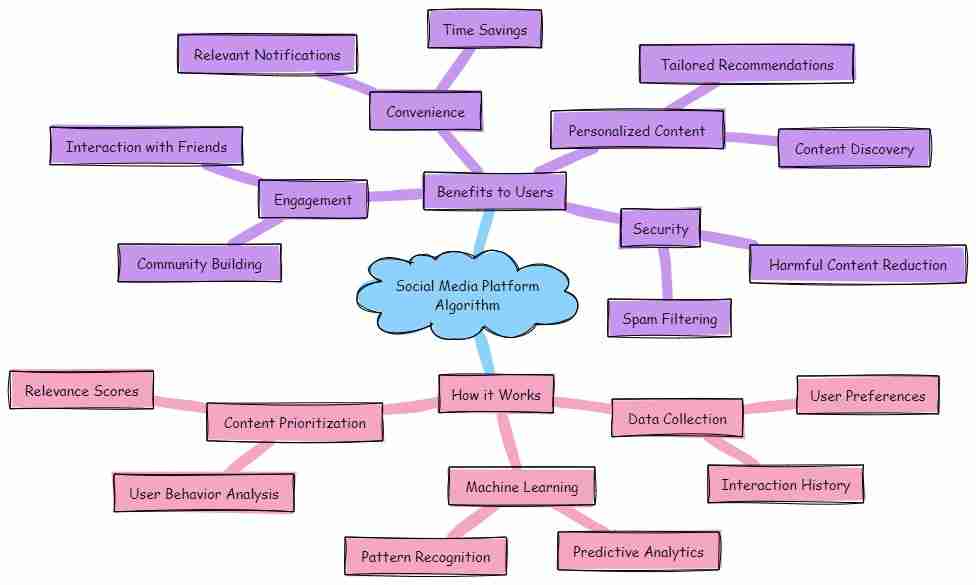
Can External Links Enhance LinkedIn Articles Credibility?
What Role Does Formatting Play In LinkedIn Articles Readability?
When it comes to crafting compelling articles on LinkedIn, formatting isn’t just a nice-to-have; it’s a need-to-have. Picture this: you’ve got some killer content, the kind that could inspire a room full of executives, but if your readers have to squint at long blocks of text, you might as well be shouting into the void. The role of formatting in enhancing readability cannot be overstated, and here’s why.
First off, let’s talk about attention spans. We’re living in a breakneck world where a two-minute video might hold someone’s focus longer than a well-structured paragraph. To combat this, proper formatting acts as the reader’s guide. You want your audience to glide through your article, absorbing your insights without feeling like they’re trudging through mud. Break your content into digestible chunks—think short paragraphs, bullets, and headers. Each element serves as a landmark in the journey, helping readers navigate the terrain of your thoughts.
Next, let’s not overlook the power of visual hierarchy. Using headings and subheadings serves a dual purpose: it organizes your thoughts and grabs attention. A bold heading can be the siren’s call that beckons a curious mind to dive deeper into your article. Subheadings act like guideposts, giving readers a sense of direction. When they see what lies ahead, they’re more likely to stick around.
White space is your ally here too. It’s not just empty space; it’s breathing room. A well-spaced article can make your content feel less overwhelming and more inviting. Just imagine walking into a cluttered room versus a clean, organized space. The latter feels approachable, and that’s what we want our LinkedIn articles to be—welcoming, not daunting.
Finally, let’s not forget about the importance of visuals. Pictures, graphs, and other media can break up text and provide visual relief. They underscore your points and keep readers engaged. So don’t be afraid to sprinkle in relevant images or infographics that add value to your content.
In essence, formatting is a powerful tool that shapes the reader’s experience. On a platform like LinkedIn, where professionals are hungry for insights, the way you present your ideas can be just as critical as the ideas themselves. So, remember: when your formatting is tight, your message shines all the brighter.

What Role Does Formatting Play In LinkedIn Articles Readability?
What Role Does Formatting Play In LinkedIn Articles Readability?
- Formatting is essential for crafting compelling articles on LinkedIn.
- Attention spans are short; effective formatting helps navigate content smoothly.
- Break your content into digestible chunks: use short paragraphs, bullets, and headers.
- Headings and subheadings create visual hierarchy and grab reader attention.
- White space provides breathing room, making content more approachable.
- Incorporate visuals like images and infographics to enhance engagement.
- Well-structured formatting amplifies the impact of your message on LinkedIn.

What Role Does Formatting Play In LinkedIn Articles Readability?
How to Measure Success Of LinkedIn Articles?
When it comes to measuring the success of your LinkedIn articles, don’t just don a pair of rose-colored glasses and assume everything is going swimmingly based on a handful of likes. Success isn’t just a popularity contest; it’s about engagement, reach, and the impact you have on your audience. So, how do you get a true gauge of how your writing resonates? Let’s dig into the nitty-gritty.
First off, take a look at the number of views your article garners. This might seem basic, but views are an essential metric. You want to know whether folks are clicking in to read your brilliant prose. But don’t stop there! Keep an eye on the unique viewers versus total views. If you’ve got a lot of repeat visitors, it might mean your article struck a chord or sparked a conversation that has people coming back for more.
Next, delve into the comments section. Engagement isn’t just a number; it’s a discussion. Are people sharing their thoughts, offering insights, or asking questions in response to your piece? If your article ignites comments and dialogue, congratulations! You’re not just broadcasting your ideas; you’re creating a community. That’s the kind of involvement that signifies success.
Let’s not forget about shares. When your article gets shared, it’s like a virtual high-five. It indicates that your work resonates with readers enough that they want to spread the word within their networks. Pay attention to how many shares each article receives. A high share count typically means you’ve struck a nerve with your audience.
Another critical factor is the profile views following your article’s publication. Have you noticed an uptick in profile visits? This spike could be a hint that readers are curious about you as an author after being captivated by your work. It’s a sign that your articles are drawing people not just to your content, but to you, making you a thought leader in your niche.
Lastly, consider the call-to-action. Successful LinkedIn articles often lead to further engagement beyond the platform, such as connections, inquiries, or opportunities. If you find your audience reaching out, asking for collaboration, or even hiring opportunities, you’re undoubtedly on the right track.
In summary, measuring success on LinkedIn takes a multifaceted approach. Look at views, comments, shares, profile visits, and the opportunities that arise post-publication. This data isn’t just numbers; it’s a reflection of your ability to connect, engage, and lead in your field. Stay diligent, keep writing, and you’ll see the fruits of your labor flourish.

How to Measure Success Of LinkedIn Articles?
How to Measure Success Of LinkedIn Articles?
- Success on LinkedIn articles is measured by engagement, reach, and audience impact, not just likes.
- Track the number of views, focusing on unique viewers versus total views to gauge interest.
- Engagement through comments signifies a successful article, fostering community discussion.
- Shares indicate that your article resonates with readers, expanding your reach.
- Increased profile views post-publication suggest that your writing has attracted interest in you as an author.
- A successful article can lead to further engagement opportunities like connections and inquiries.
- Overall, success measurement on LinkedIn requires a comprehensive analysis of various metrics.

How to Measure Success Of LinkedIn Articles?
How to Repurpose Content From Other Platforms As LinkedIn Articles?
In the vast landscape of digital content, you’ve got a treasure trove of material just waiting to be repurposed for LinkedIn. If you’re anything like me, you’ve amassed enough blog posts, social media updates, and videos to rival a small library. But what if I told you that you could breathe new life into these gems without reinventing the wheel? Here’s how to transform your existing content into compelling LinkedIn articles that resonate with your audience.
First, take a good look at what you’ve already created. What segments of your content are the most engaging? Perhaps you have a lively blog post on workplace productivity, a series of Twitter threads sharing industry insights, or a video that highlights tips for personal branding. The beauty of LinkedIn lies in its capacity for long-form content, making it an ideal platform to expand on these existing ideas.
Now, let’s roll up our sleeves. You’re not simply copying and pasting your old work. No, that won’t cut it for a professional platform like LinkedIn. Instead, think of this as a second chance to revisit these ideas with fresh eyes. Start by summarizing the original content and identifying the key points that could resonate with LinkedIn’s audience.
Once you’ve pinpointed your most valuable ideas, it’s time for a makeover. Rewrite your content in a manner that reflects LinkedIn’s professional tone while keeping your unique voice intact. Introduce your piece with an engaging hook that draws readers in—something relatable or thought-provoking that encourages them to keep scrolling. You want to not only share information but also spark conversations. Don’t shy away from inviting your audience to engage through comments or shares.
Next, enhance your LinkedIn article with visuals. A well-placed image or infographic can provide visual relief and make complex information more digestible. You might even consider incorporating quotes or testimonials from your previous pieces to underscore your authority and build credibility.
Finally, don’t forget to optimize for LinkedIn’s search function. Use relevant keywords that align with your target audience’s interests. This strategy can help elevate your article in the community and boost its visibility.
So, buckle up and dive into your vault of content. Transform those diamonds in the rough into LinkedIn articles that not only educate but also inspire your connections. After all, your insights could ignite a spark that leads someone on their own journey of growth.

How to Repurpose Content From Other Platforms As LinkedIn Articles?
How to Repurpose Content From Other Platforms As LinkedIn Articles?
- Repurpose existing content for LinkedIn using previously created blog posts, social media updates, and videos.
- Identify the most engaging segments of your existing material to expand on LinkedIn’s long-form platform.
- Summarize original content and highlight key points relevant to LinkedIn’s audience.
- Rewrite the content in a professional tone while maintaining your unique voice and engaging readers.
- Incorporate visuals such as images and infographics for better understanding and engagement.
- Utilize quotes or testimonials to reinforce authority and credibility in your articles.
- Optimize articles with relevant keywords to enhance visibility and searchability within LinkedIn.

How to Repurpose Content From Other Platforms As LinkedIn Articles?
How Do I Incorporate a Call-To-Action In LinkedIn Articles?
When it comes to writing articles on LinkedIn, the end goal isn’t just to showcase your expertise or dazzle with your eloquence. It’s about sparking a reaction, starting a conversation, or, better yet, driving an action. That’s where a compelling Call-To-Action (CTA) comes into play. It’s that crucial moment at the finish line where you guide your reader on what to do next—a nudge that can make all the difference.
Now, let’s get real. You’ve penned a thoughtful piece about industry trends, shared your hard-earned insights, or unveiled the secrets behind your success. But what’s the point if your readers just scroll on by without taking any meaningful action? Your CTA is the bridge between knowledge and action, and it deserves every bit of your attention.
First, let’s consider placement. The best CTAs don’t just crowd the bottom of your article like an afterthought. Instead, think of them as an integral part of your narrative. You can preview your CTA in the introduction, suggesting that there’s something valuable waiting for your readers at the end. A well-placed prompt can stir curiosity and keep them engaged from the word “go.”
Next, clarity is paramount. Your CTA must shine like a beacon, clear enough to cut through the clutter. Whether it’s inviting them to comment, share their own experiences, or check out a related product or service, be direct. Phrases like “Join the conversation” or “Click to learn more” are straightforward commands that leave little room for ambiguity. If a reader is left scratching their head, they might just move on without clicking anything.
Engagement is the name of the game. Consider asking a thought-provoking question at the end of your article. It doesn’t just lead the reader; it fosters a sense of community, inviting diverse opinions. “What’s your take on this? Let’s discuss!” That’s not merely a request for engagement; it’s a way to show you value their input.
Finally, remember the importance of a gentle nudge. You’re not barking commands; you’re offering an opportunity. So, whether it’s signing up for a newsletter, exploring your website, or simply leaving a comment, your CTA should feel like an invitation rather than a demand.
In short, a Call-To-Action is the key to transforming passive readers into active participants on LinkedIn. Craft it wisely, and watch your piece resonate beyond the confines of the digital page.

How Do I Incorporate a Call-To-Action In LinkedIn Articles?
How Do I Incorporate a Call-To-Action In LinkedIn Articles?
- The goal of writing articles on LinkedIn is to inspire action, drive conversation, and spark reactions, not just to showcase expertise.
- A compelling Call-To-Action (CTA) is essential in guiding readers toward taking meaningful next steps.
- CTAs should be integrated within the article, not just placed at the bottom as an afterthought.
- Clarity in CTAs is crucial; use straightforward language to ensure readers understand what action to take.
- Engagement can be fostered by ending with a thought-provoking question that invites discussion from readers.
- CTAs should feel like invitations rather than demands, encouraging readers to participate voluntarily.
- A well-crafted CTA transforms passive readers into active participants, enhancing the impact of your content on LinkedIn.

How Do I Incorporate a Call-To-Action In LinkedIn Articles?
Conclusion
So, there you have it, folks! Optimizing your articles for LinkedIn isn’t just a task; it’s a nuanced art form, a dance between authenticity, engagement, and strategy. Just as a skilled craftsman wouldn’t dive straight into a project without a solid blueprint, you should approach your LinkedIn content with purpose and direction. Let’s break it down.
First, remember that every piece of writing starts with knowing your audience. You’re not just firing off words into cyberspace; you’re entering a bustling marketplace of ideas. Who are you speaking to? What challenges do they face? Tailor your content to their needs. This foundational awareness is your first step toward crafting articles that resonate.
Next up, structure is your best friend. Think of your article as a well-constructed home: engaging introductions, scannable sections, and easy-to-understand visuals stack up to create an inviting space. Readers want clarity, not confusion, so break it up with subheadings, bullet points, and eye-catching images that breathe life into your words.
Now, let’s not forget the power of keywords. Inject them like seasoning into your dish—careful not to overdo it, or you’ll spoil the flavor. Research trending topics and employ relevant phrases that can elevate your article’s visibility, transforming it from a hidden gem into a beacon players in your industry can’t ignore.
Engagement is where the magic happens! Encourage readers to join the conversation—ask questions, invite comments, thank them for their insights. This transforms your article from a monologue into a vibrant dialogue, and nothing says community quite like a thoughtful exchange of ideas.
And timing! Posting at the right moments can mean the difference between being a flickering candle or a roaring fire. Stick to those sweet midweek mornings or late afternoons when professionals are most receptive. Roll out the red carpet—not just for your article, but for someone else’s insights too; share and promote others, and you’ll foster reciprocal relationships.
Finally, measure your success not merely by likes, but through engagement metrics that truly reflect your impact. Dive into those comments, follow up on shares, and keep your finger on the pulse of your audience’s reactions.
So, as you roll up your sleeves and dive into the world of LinkedIn articles, remember: it’s not just about the words you write or the information you share. It’s about building a community, sharing experiences, and yes, having a little fun along the way. Optimize wisely and authentically, and watch as your voice cuts through the digital noise. Now, get out there and start crafting!

Conclusion
Conclusion:
- Optimizing LinkedIn articles is an art that combines authenticity, engagement, and strategy.
- Know your audience to tailor content effectively, ensuring your writing resonates with their needs.
- Structure your article like a well-built home with clear introductions, scannable sections, and engaging visuals.
- Use keywords wisely to enhance visibility, avoiding overuse that could spoil the article’s impact.
- Encourage engagement by inviting readers to share their thoughts and participate in discussions.
- Post at optimal times when your audience is most receptive, typically midweek mornings or late afternoons.
- Measure success through engagement metrics and community interaction rather than just likes.

Conclusion
Other Resources

Other Resources
Here is a list of other resources you can review online to learn more:
- “Overcoming Imposter Syndrome”
- “Tony Schwartz’s Post”
- “Imposter Syndrome 101: What I’ve Learned from Hundreds …”
- “Caleb Lee’s Post”
- “How to Overcome Imposter Syndrome in a New …”
- “Lena Reinhard – Imposter Syndrome in Leadership”
- “The Imposter Syndrome”
- “Taylor Soper’s Post”
Use This Prompt To Get More Resources With Your Favorite Online AI Tool: Please provide me with a list of online articles with their URLs in a bulleted list that I can read regarding How to Optimize Articles Created for LinkedIn?

Other Resources
Glossary Terms
How to Optimize Articles Created for LinkedIn? – Glossary Of Terms
1. Algorithm: A set of rules or calculations used by LinkedIn to determine the visibility and ranking of content within users’ feeds.
2. Anchor Text: The clickable text in a hyperlink, which should be descriptive and relevant to improve SEO and user engagement.
3. Call to Action (CTA): A prompt for readers to take specific actions, such as commenting, sharing, or clicking a link.
4. Content Curation: The process of discovering, gathering, and presenting digital content relevant to a particular topic or audience.
5. Engagement Rate: A metric that measures the level of interaction (likes, shares, comments) your article receives, indicating its effectiveness.
6. Headlines: The title of the article, which should be compelling and informative to attract readers’ attention.
7. Keywords: Specific words or phrases that are relevant to your topic and are likely to be used by readers when searching for content.
8. Lead Generation: Techniques used to attract and convert prospective customers into someone who has indicated interest in your company’s product or service.
9. Metadata: Information that describes the content of your article, including the title, description, and keywords that help improve searchability.
10. Networking: Building relationships with other professionals on LinkedIn to enhance the reach and impact of your articles.
11. Readability: The ease with which your article can be read and understood, often improved by using simple sentences and avoiding jargon.
12. SEO (Search Engine Optimization): The practice of enhancing your article’s visibility on search engines and LinkedIn by using relevant keywords and strategies.
13. Visuals: Images, infographics, and videos used within articles to make the content more engaging and easily digestible.
14. Shares: When users distribute your article to their networks, increasing its visibility and potential engagement.
15. Syndication: Sharing your article on multiple platforms to reach a wider audience, which can drive additional traffic to your LinkedIn profile.
16. Audience Insight: Understanding the interests, needs, and demographics of your LinkedIn audience to tailor your content accordingly.
17. Authenticity: The quality of being genuine and true to your personal brand, essential for establishing trust and credibility with your audience.
18. Formatting: The arrangement of text, images, and headings in an article to enhance readability and engagement.
19. Influencer: A person with significant sway in a specific industry whose endorsement can amplify the reach of your article.
20. Metrics: Quantitative measurements used to evaluate the performance of your articles, such as views, likes, comments, and shares.
21. Niche: A specialized segment of the market for your article’s theme, helping to target a specific audience effectively.
22. Personal Branding: The practice of marketing yourself and your career as a brand, crucial for establishing authority on LinkedIn.
23. Relevancy: The importance of your article’s content to the audience’s interests and current events, which can impact its engagement levels.
24. Hashtags: Keywords or phrases preceded by the pound sign (#) used to categorize content, making it easier for users to find relevant articles.
25. Subheadings: Titles within the article that break up content and make it easier for readers to scan for information.
26. User-generated Content: Content created by others, such as comments or shares, that can enhance the discussion around your original article.
27. Cross-Promotion: The practice of sharing and promoting your articles through various channels or platforms to enhance visibility.
28. Timing: Referring to the best times to publish articles for optimal visibility and engagement based on audience activity patterns.
29. Storytelling: The art of conveying information through narratives that engage readers and evoke emotion, increasing the likelihood of sharing.
30. LinkedIn Groups: Communities on LinkedIn where professionals with similar interests can discuss topics and share articles, enhancing engagement.
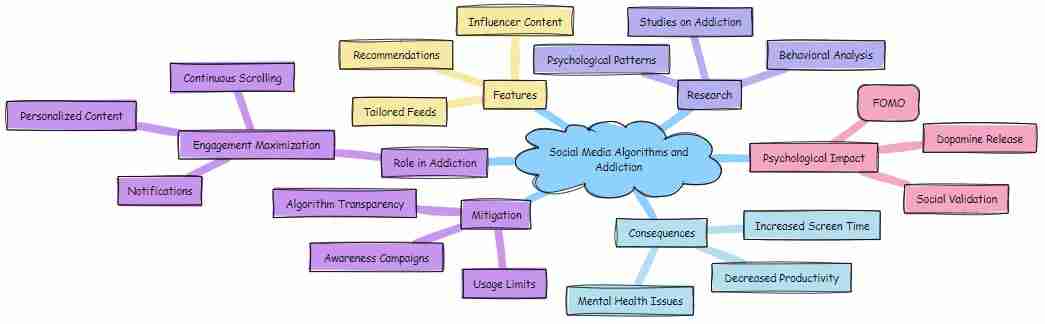
Glossary Of Terms
Other Questions
How to Optimize Articles Created for LinkedIn? – Other Questions
If you wish to explore and discover more, consider looking for answers to these questions:
- What are the best practices for writing engaging introductions on LinkedIn?
- How can I analyze my audience’s interests on LinkedIn?
- What types of visuals are most effective for LinkedIn articles?
- How can I track the performance of my LinkedIn articles?
- What are common mistakes to avoid when writing for LinkedIn?
- How do I effectively use hashtags in my LinkedIn articles?
- What are some tools for keyword research specific to LinkedIn?
- How can I repurpose my LinkedIn articles for other platforms?
- What are the legal considerations when using images in LinkedIn articles?
- How do I foster a sense of community in the comments on my LinkedIn articles?
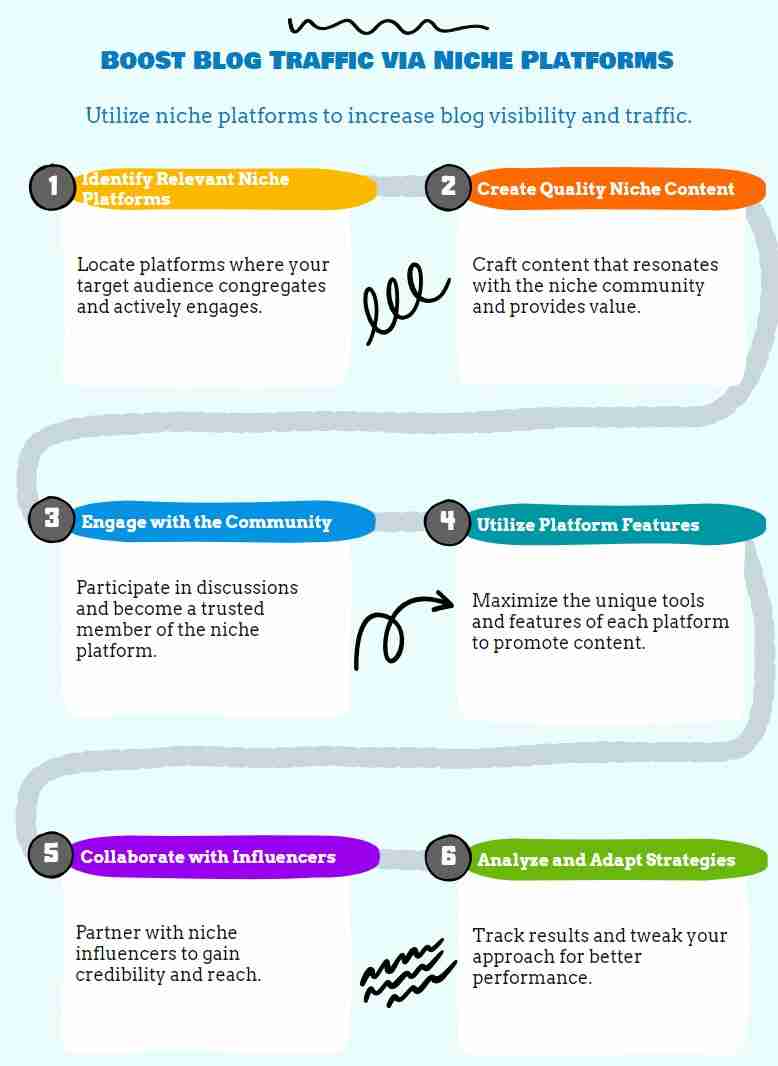
Other Questions
Checklist
How to Optimize Articles Created for LinkedIn? – A Checklist
Audience Understanding
_____ Identify your target audience.
_____ Consider their interests, challenges, and needs.
Article Structure
_____ Start with an engaging introduction.
_____ Use clear subheadings to enhance scannability.
_____ Include bullet points and lists for digestible information.
Visuals
_____ Use relevant images, infographics, or charts to complement the text.
_____ Ensure visuals enhance understanding and engagement.
Keyword Optimization
_____ Research relevant keywords and trending topics.
_____ Integrate keywords naturally into the title and body of the article.
Title Creation
_____ Craft a catchy, clear, and authentic title.
_____ Include numbers and emotionally resonant words where appropriate.
_____ Create a sense of intrigue or pose a question.
Engagement Encouragement
_____ Invite readers to comment, share, or ask questions.
_____ Respond thoughtfully to comments to foster community.
Publishing Frequency
_____ Aim for one well-crafted article per month.
_____ Adjust frequency based on your capacity and audience engagement.
Tone and Style
_____ Use a conversational yet professional tone.
_____ Incorporate personal anecdotes to enhance relatability.
Promotional Strategies
_____ Build your network before publishing.
_____ Post your article during peak times for visibility.
_____ Share multiple times and utilize engaging visuals.
Success Measurement
_____ Track views, comments, shares, and profile visits.
_____ Analyze audience engagement and opportunities generated.
Content Repurposing
_____ Review existing content to identify nuggets for adaptation.
_____ Rewrite and expand on previous material to resonate with LinkedIn audiences.
Call-to-Action
_____ Incorporate a clear and inviting call-to-action.
_____ Position the CTA strategically within the article.
Comments Engagement
_____ Pose open-ended questions to prompt discussions.
_____ Share personal stories related to the topic for relatability.
_____ Tag relevant experts or professionals to enrich the conversation.
Formatting for Readability
_____ Use short paragraphs, headings, and white space effectively.
_____ Include visuals to break up text and enhance interest.
External Linking
_____ Utilize external links to credible sources to enhance trust.
_____ Ensure links provide added value and context to your article.
Use this checklist to ensure your LinkedIn articles stand out and foster meaningful connections within your professional network!

Checklist
At WebsiteBloggers, we help website bloggers develop strategies to create content, traffic, and revenue from website blogs based on our experiences and experimentation.
Be sure to read our other related stories at WebsiteBloggers and share this article with your friends, family, or business associates who run website blogs.